What's New in ATR CustomTools 2026
Table of Contents
Important News
Rebranding of "CUSTOMTOOLS" -> ATR CustomTools
Starting with the 2026 release, CUSTOMTOOLS has been rebranded as ATR CustomTools . This change reflects the strong foundation behind the product — ATR Soft, a dedicated software company driving innovation in industrial solutions worldwide.
Founded in 2000, ATR Soft has a proven track record of delivering advanced software for industrial sectors across global markets. With this rebranding, we aim to highlight that ATR CustomTools is not just a standalone product, but part of a broader ecosystem of expertise.
Knowledge base articles have been moved under Support Service Desk, which you can access by creating a free account. To search our vast knowledge base, note the magnifier glass at the top right corner after login.
Working on support for Odoo ERP v20 (fall 2026)
Odoo ERP has deprecated the JSON-RPC External API since version 19 (released in fall 2025). It's also scheduled for removal in version 20, that we could expect to be released in fall 2026.
We are working on reimplementing the API layer of Odoo ERP Integration (V2) , and we aim to introduce it to ATR CustomTools 2026 SP1 . Our preliminary study indicates, we should be able to do a fully backwards compatible upgrade without any compromises in e.g. performance.
Product Infomation Cloud "Cloud Connected" support dropped
Almost 9yrs ago, CUSTOMTOOLS 2017 SP1 introduced a new Export Profile type Cloud Connected, that supported pushing SOLIDWORKS design data to Roima's Product Information Cloud using Export.
This integration has not gained the desired popularity, so we are dropping it in ATR CustomTools 2026 SP0 , giving us more time to focus on improving our more actively used features. If you are affected by this, don't hestitate to raise a support ticket.
Changes to ATR CustomTools Viewer
Starting from ATR CustomTools Viewer 2026 SP0 , eDrawings is no longer shipped with the installer. ATR CustomTools Viewer in available using the Custom -install, if the required eDrawings version is already pre-installed. E.g. ATR CustomTools Viewer 2026 requires eDrawings 2026, or newer.
Compatibility with SOLIDWORKS, SOLIDWORKS PDM and 3DEXPERIENCE
| Compatibility | |
|
ATR CustomTools 2026
for SOLIDWORKS 
|
All Service Packs of
|
|
ATR CustomTools Task Add-in 2026
for SOLIDWORKS PDM |
All Service Packs of
|
| ATR CustomTools Viewer 2026 | Requires eDrawings 2026 SP0, or newer. |
New Features in Service Pack 0.0
New Property Type: Check List
ATR CustomTools 2026 introduces completely new Property and Lookup List type: Check List.
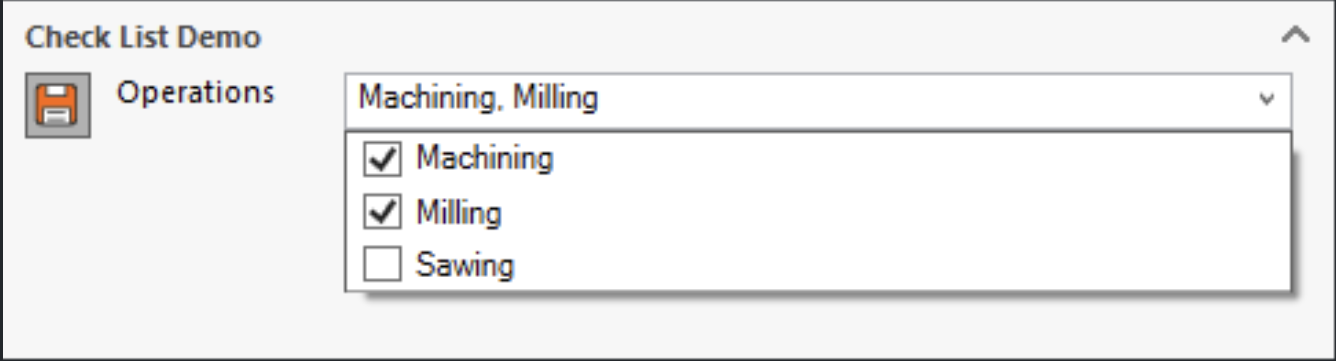
Check List allows defining a single Custom Property with multiple selectables, and it also supports similar hierarchical parent selections as ComboBoxes in hierarchical arrangement. This has been a long-requested and much needed feature for various use cases; such as
- Grouped selections in single Custom Property
- Control multiple Custom Properties with a single Property
- Dynamic selectables e.g. from External Database or ERP system
- Dynamic selectables based on parent value
- Reduce amount of individual properties for improved performance
- Improved usability over multiple CheckBoxes
In the most basic configuration, multiple selections are stored to the Custom Property using user defined separator.
With a bit more advanced configuration each selectable can be attached to different target Custom Property, making it ideal for migrating from multiple existing CheckBox properties while maintaining data compatibility — including with PDM FileCards.
Take a look at our renewed Help Documentation for Lookup List Examples.
Odoo ERP Integration Enhancements
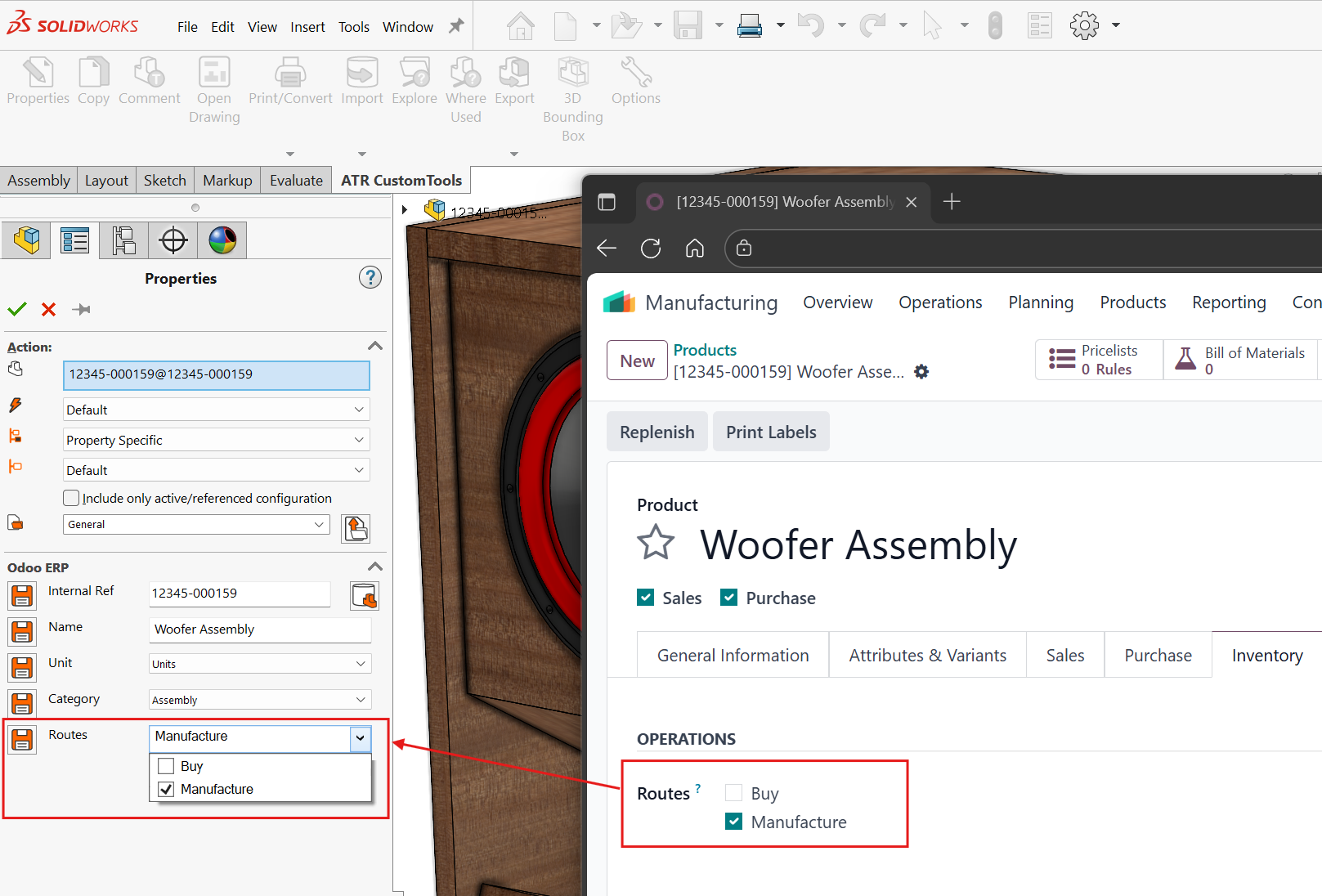
Improved Support for Routes
Thanks to the new Check List type, for example Routes can be supported much better than before. ATR CustomTools 2026 SP0 introduces Check List -selection and Separator -definition for Odoo sourced Lookup Lists.
The Odoo Integration Demo Profile now automatically configures also Routes.
Filtering of Odoo sourced Lookup Lists
The Odoo integration supports retrieving arbitrary "table" -content as Lookup Lists. However, raw content of tables might contain row entries, that are not relevant for the integration or the SOLIDWORKS user, in the context it's going to be used.
If this release, we introduce Filtering for Odoo sourced Lookup Lists. You can post-filter the retrieved table content using any of its fields, using operators such as NOT (!), wildcard (*), and OR (|).
For example, it's very reasonable to include only such Routes that are Applicaple on Product.

Product attachment visibility in Odoo Bill of Materials
The Odoo Bill of Materials can show Products' attached documents for each component BOM line. Manually this can be enabled by editing the Product's attached document and set the MRP: Visible at -option to Bill of Materials.
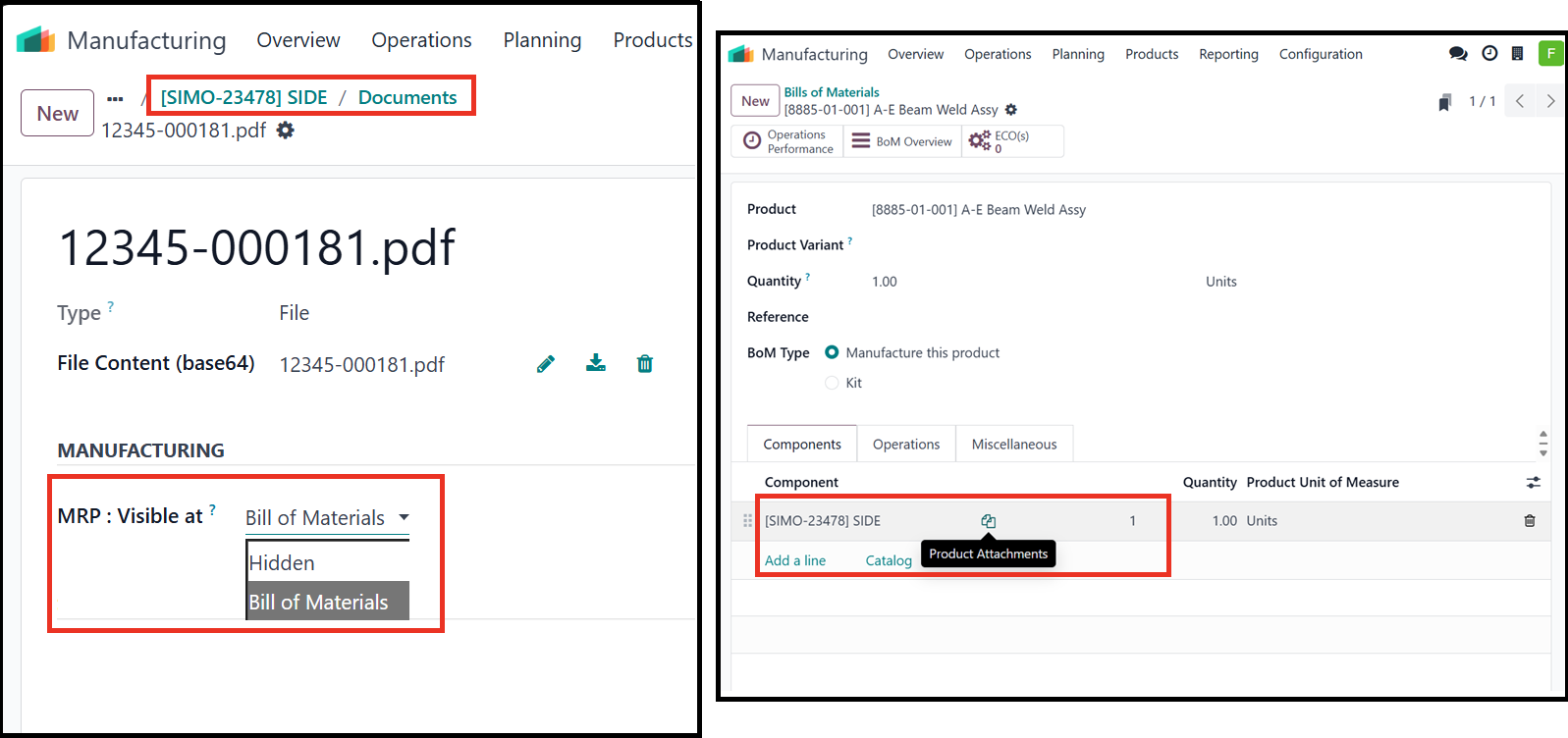
ATR CustomTools 2026 SP0 now enables this BOM visibility option by default for new integrations, when the integration uploads new attachments to Products. This option will not be set for already existing or updated attachments.
Already existing integrations can enable this feature by visiting Export Profile Options, and the
new option
Set new Template/Variant attachments BOM Visible can be found behind
 -button.